Architecture Diagrams
This page contains programmatically-generated architecture diagrams that visualize CloudAlt’s system design, deployment architecture, and user flows. Click any diagram to view it in full size.
🏗️ System Architecture
Section titled “🏗️ System Architecture”Stay Overnight Architecture
Section titled “Stay Overnight Architecture”Complete system architecture for the hospitality division, showing the Django backend, React/React Native frontends, and external services.
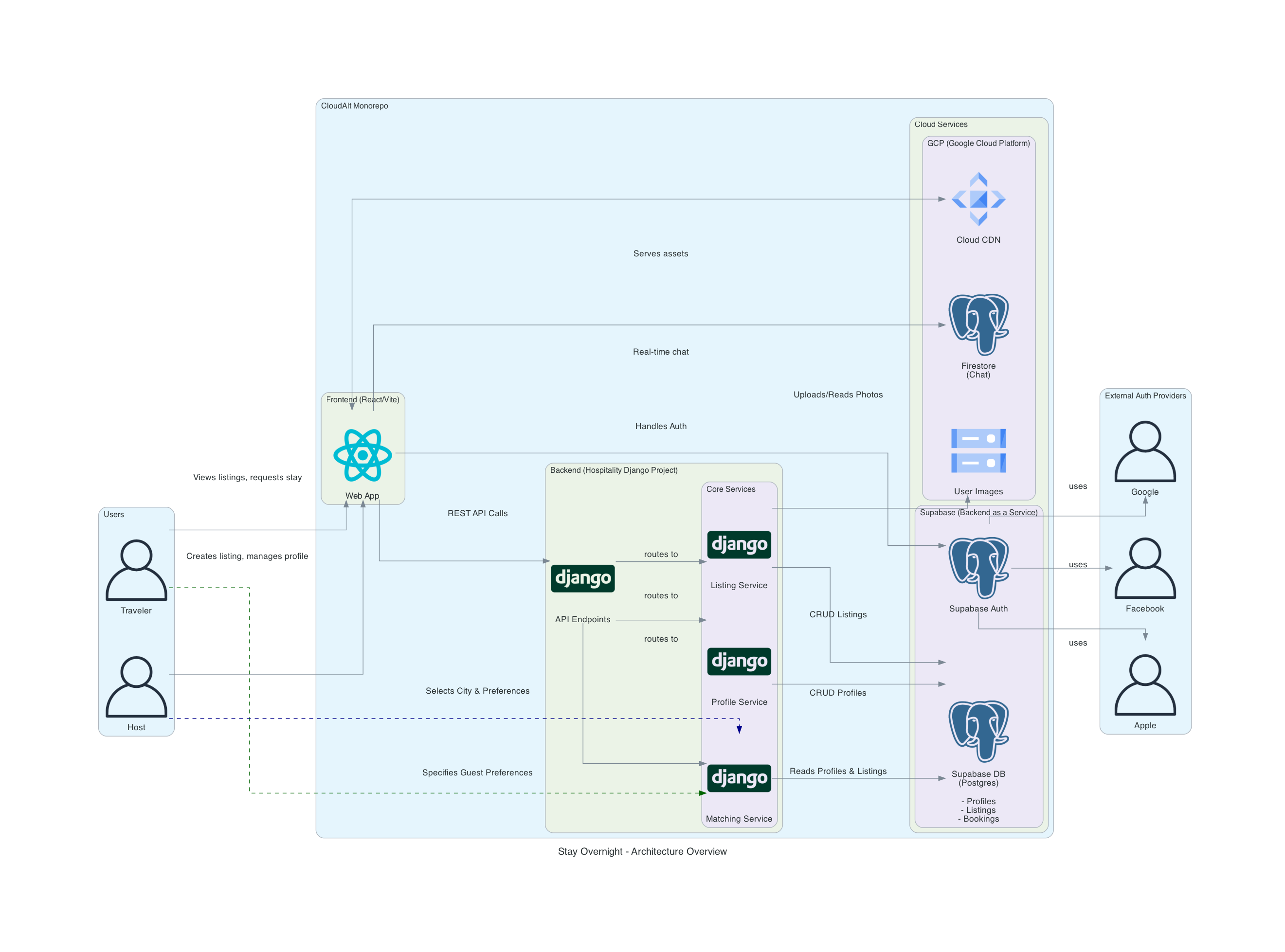
Key Components:
- Django REST API (port 8000)
- PostgreSQL database via Supabase
- GCP Cloud Storage for media
- Firestore for real-time chat
- React web + React Native mobile apps
Monorepo Architecture
Section titled “Monorepo Architecture”Overview of the Nx monorepo structure showing all applications, shared packages, and dependencies.
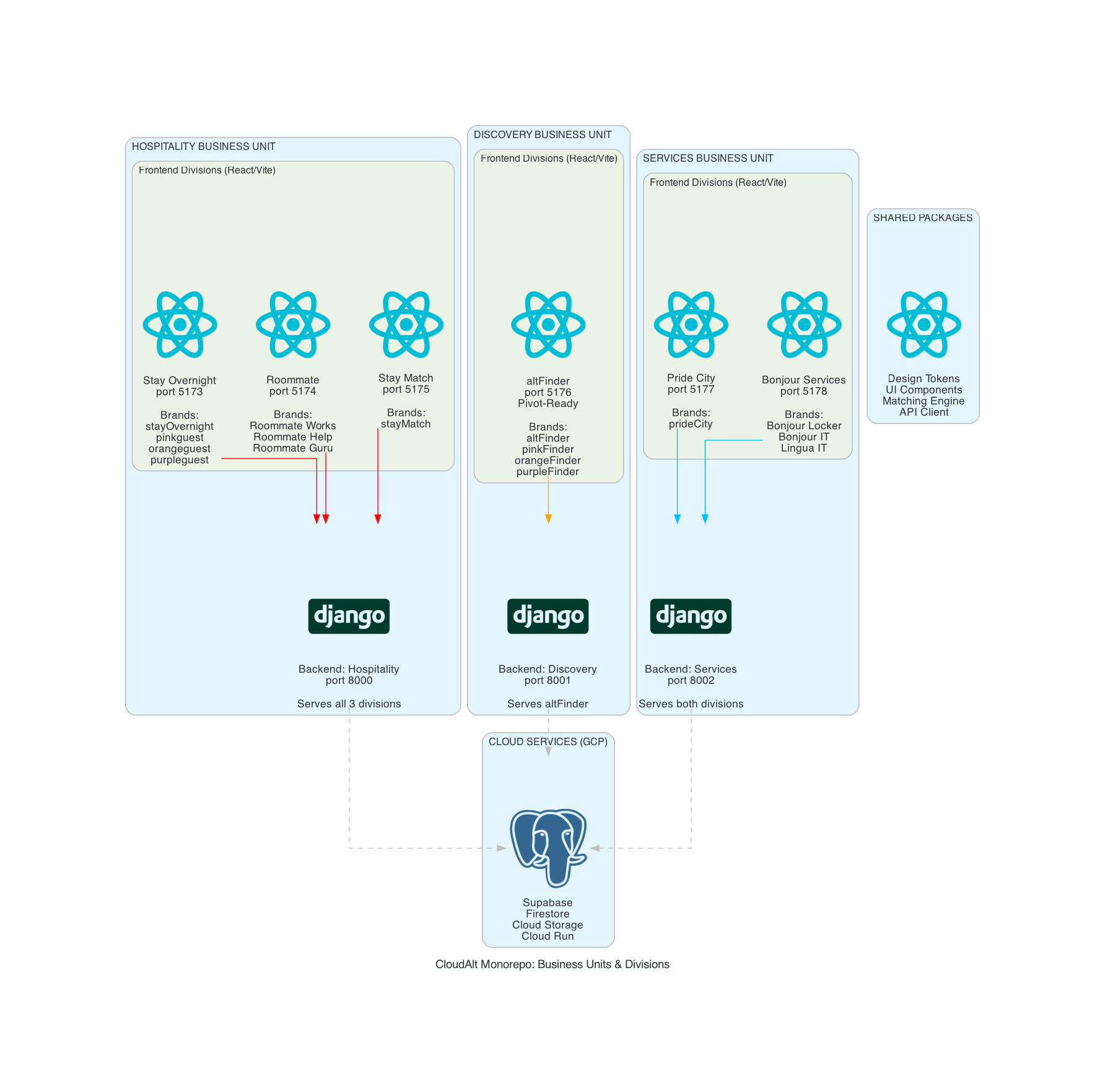
Includes:
- 6 main applications (Stay Overnight, Roommate, AltFinder, etc.)
- Shared packages (UI components, design tokens, utilities)
- Build orchestration with Nx
🚀 Deployment Architecture
Section titled “🚀 Deployment Architecture”Production Deployment
Section titled “Production Deployment”Production deployment architecture on GCP Cloud Run with auto-scaling, CDN, and database configuration.
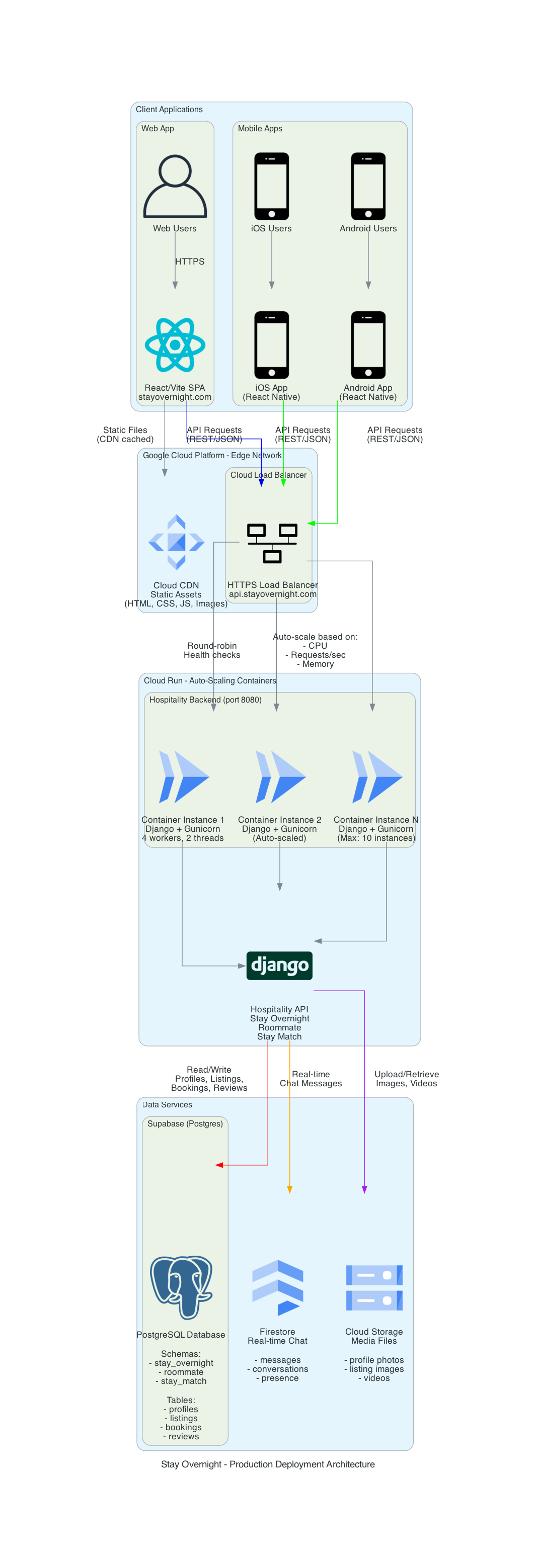
Infrastructure:
- GCP Cloud Run for containerized deployment
- Cloud CDN for static assets
- Supabase PostgreSQL (managed)
- GCP Firestore for real-time features
- Cloud Storage for media uploads
Deployment Architecture (Clarified)
Section titled “Deployment Architecture (Clarified)”Detailed deployment architecture showing all services, networking, and external integrations.
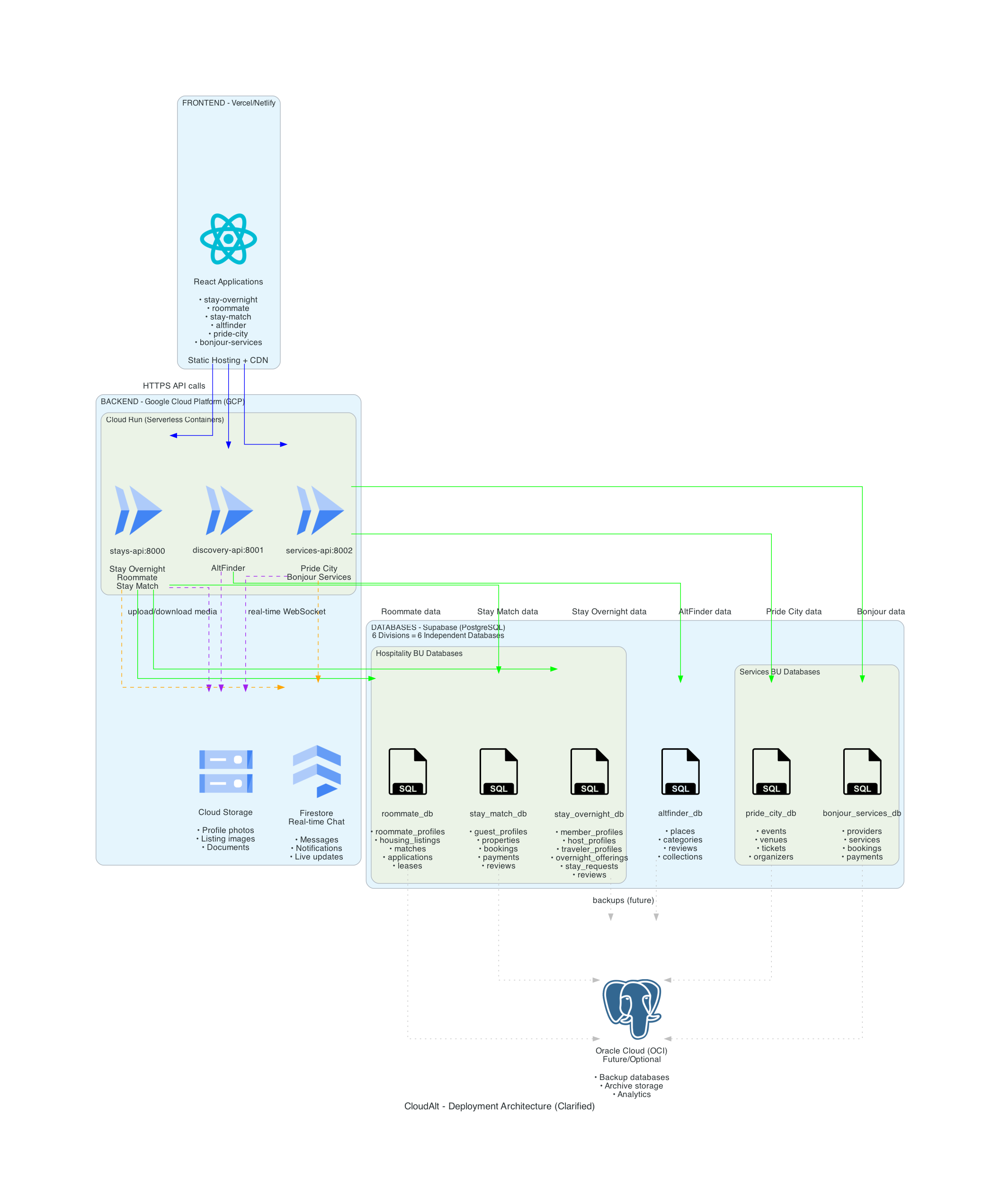
Details:
- Service mesh configuration
- API Gateway routing
- Authentication flow (Supabase Auth)
- External service integrations
Cost Comparison
Section titled “Cost Comparison”Infrastructure cost comparison between different deployment approaches (Cloud Run vs VMs vs Kubernetes).
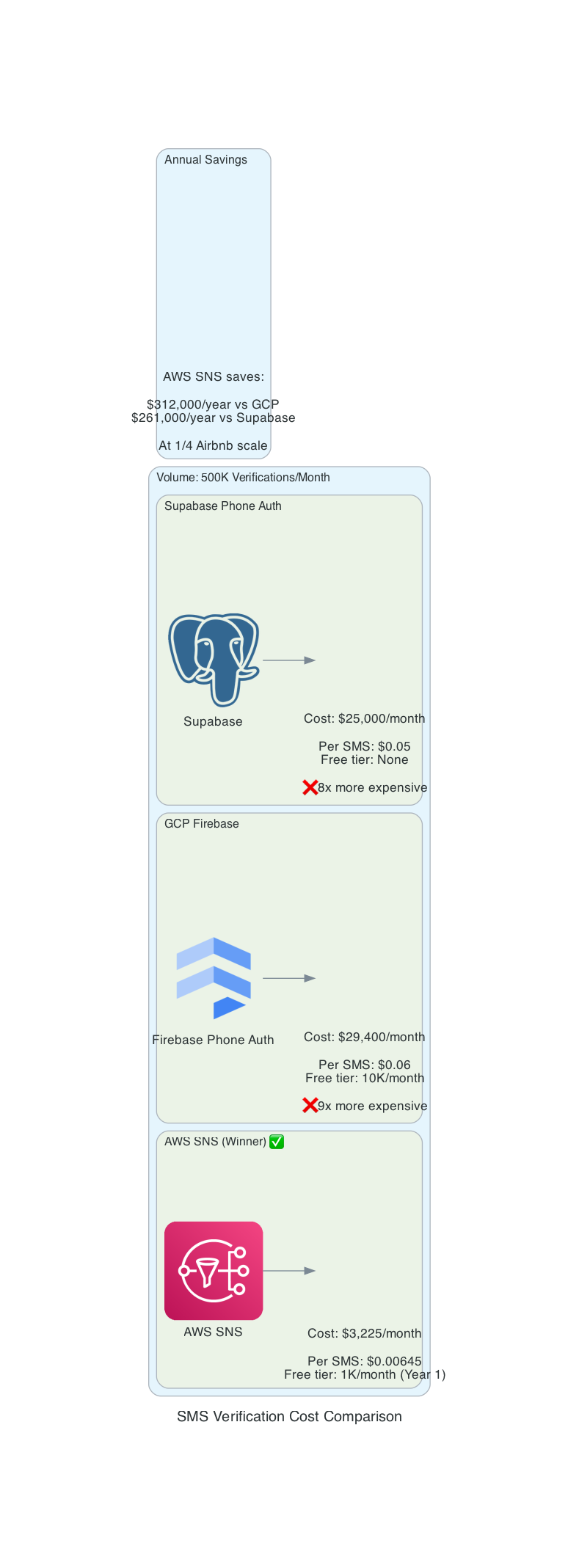
Analysis:
- Development environment costs
- Staging environment costs
- Production scaling costs
- Break-even analysis
🧜♂️ User Flows & Lifecycle
Section titled “🧜♂️ User Flows & Lifecycle”Profile Lifecycle
Section titled “Profile Lifecycle”Complete user profile lifecycle from signup through verification and ongoing activity.
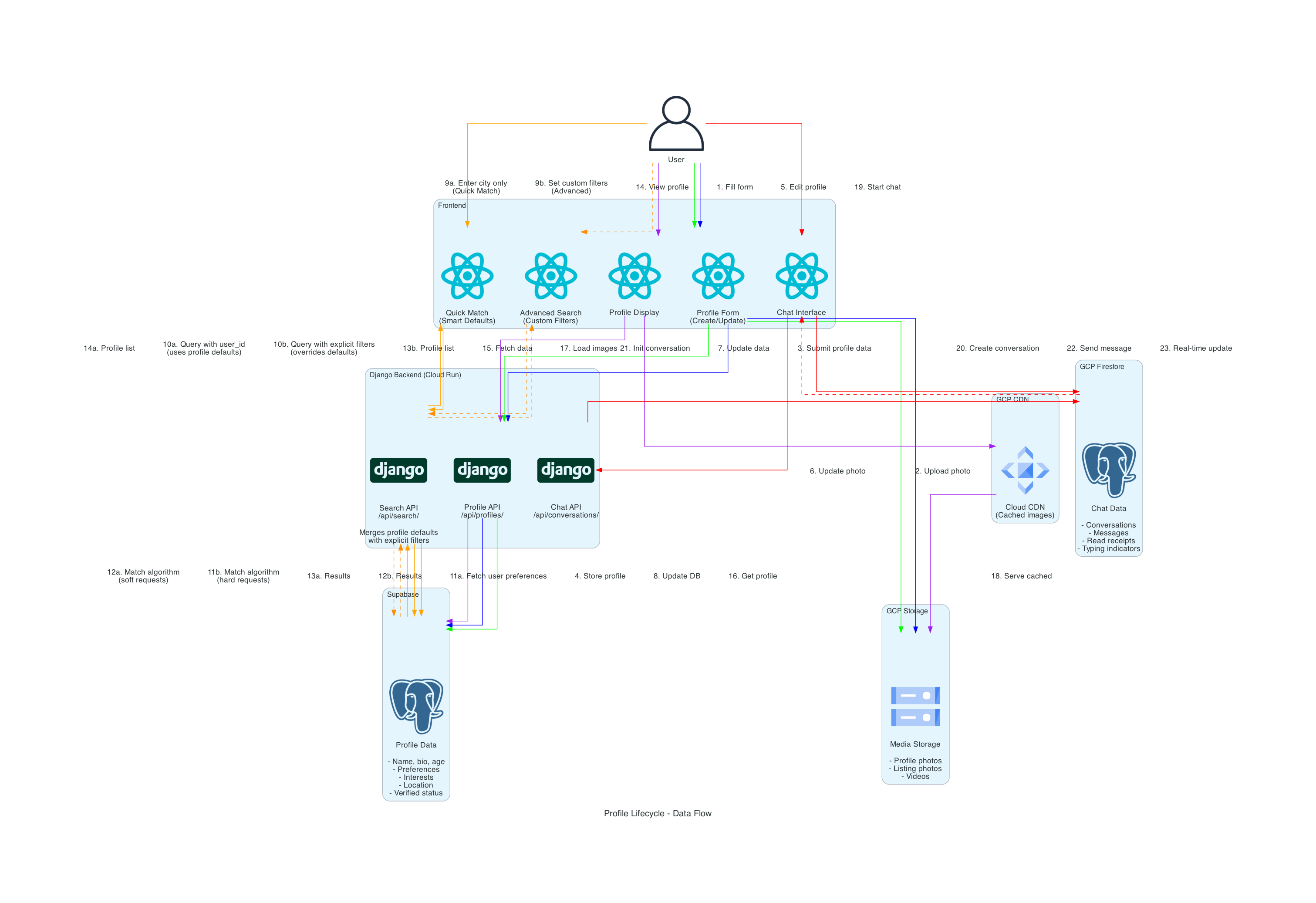
Stages:
- Initial signup
- Email verification
- Phone verification
- Profile completion
- Role selection (Host/Traveler)
- Ongoing profile updates
Stay Overnight Onboarding
Section titled “Stay Overnight Onboarding”User onboarding flow for the Stay Overnight division.
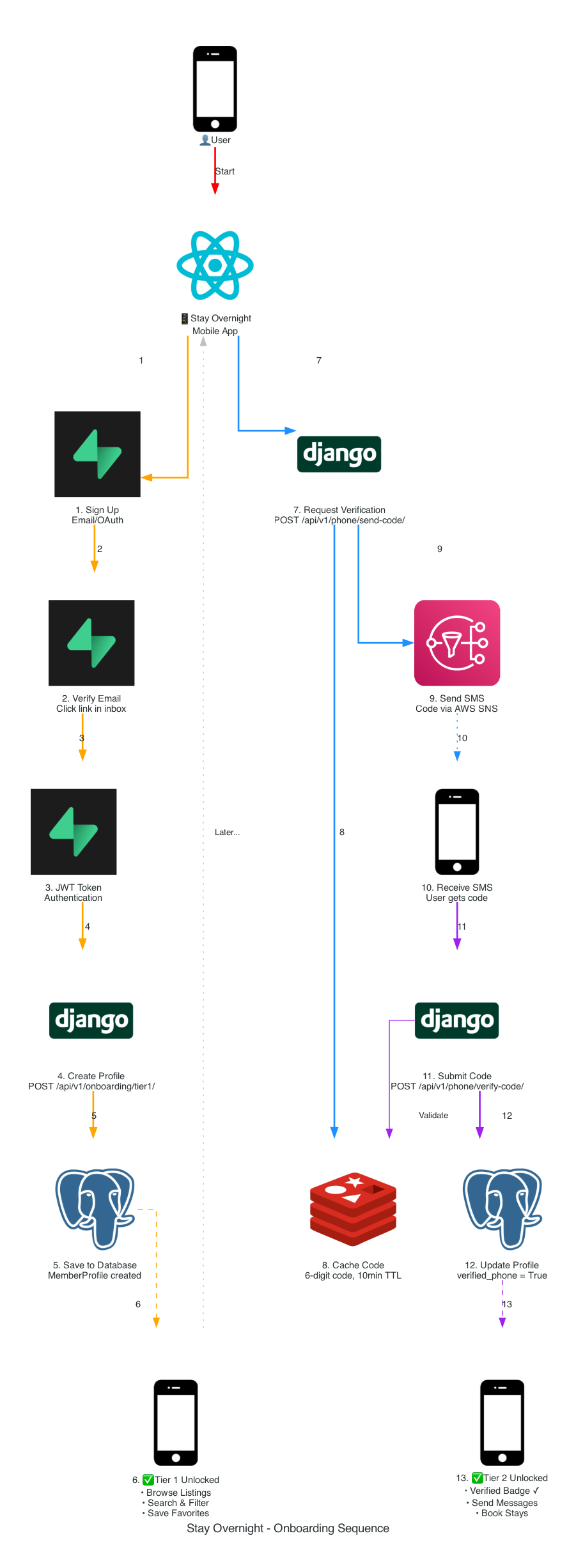
Steps:
- Welcome screens
- Role selection
- Profile creation
- Verification requirements
- First interaction prompts
Onboarding Sequence Diagram
Section titled “Onboarding Sequence Diagram”Detailed sequence diagram showing the technical flow of the onboarding process.
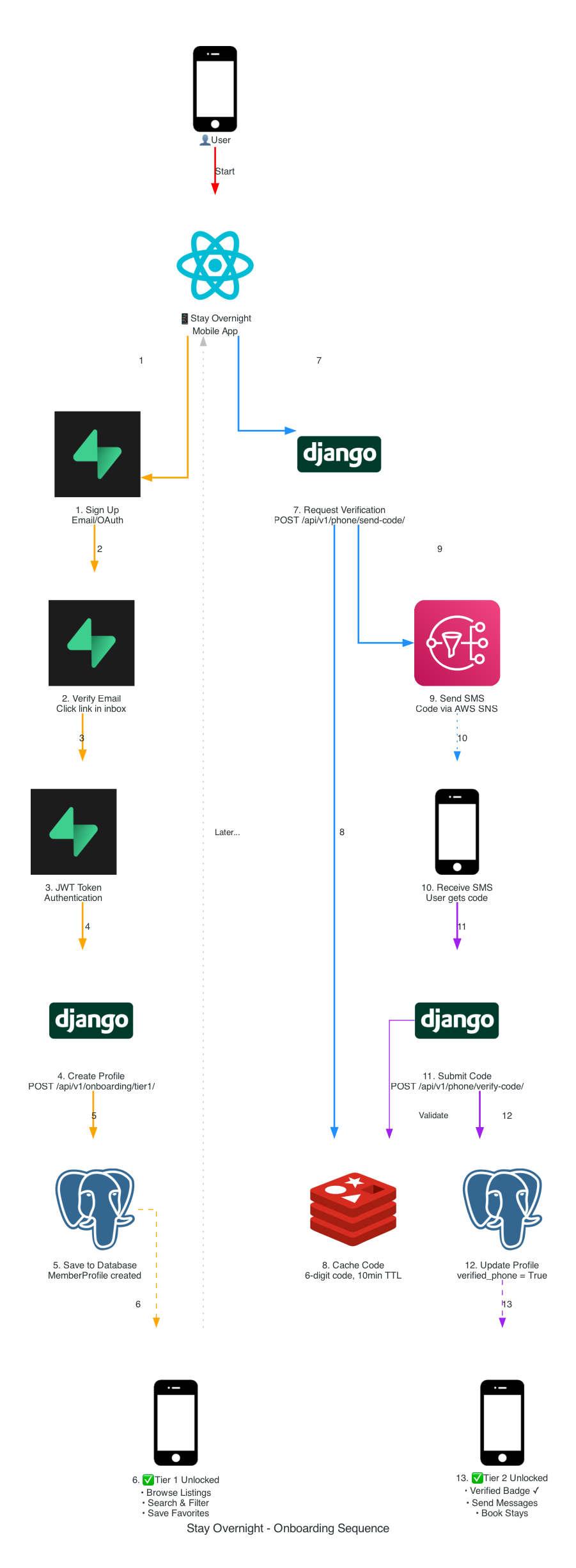
Technical Flow:
- Frontend → Backend API calls
- Database transactions
- Email/SMS verification triggers
- State management updates
Onboarding Infrastructure
Section titled “Onboarding Infrastructure”Infrastructure supporting the onboarding process including verification services and email delivery.
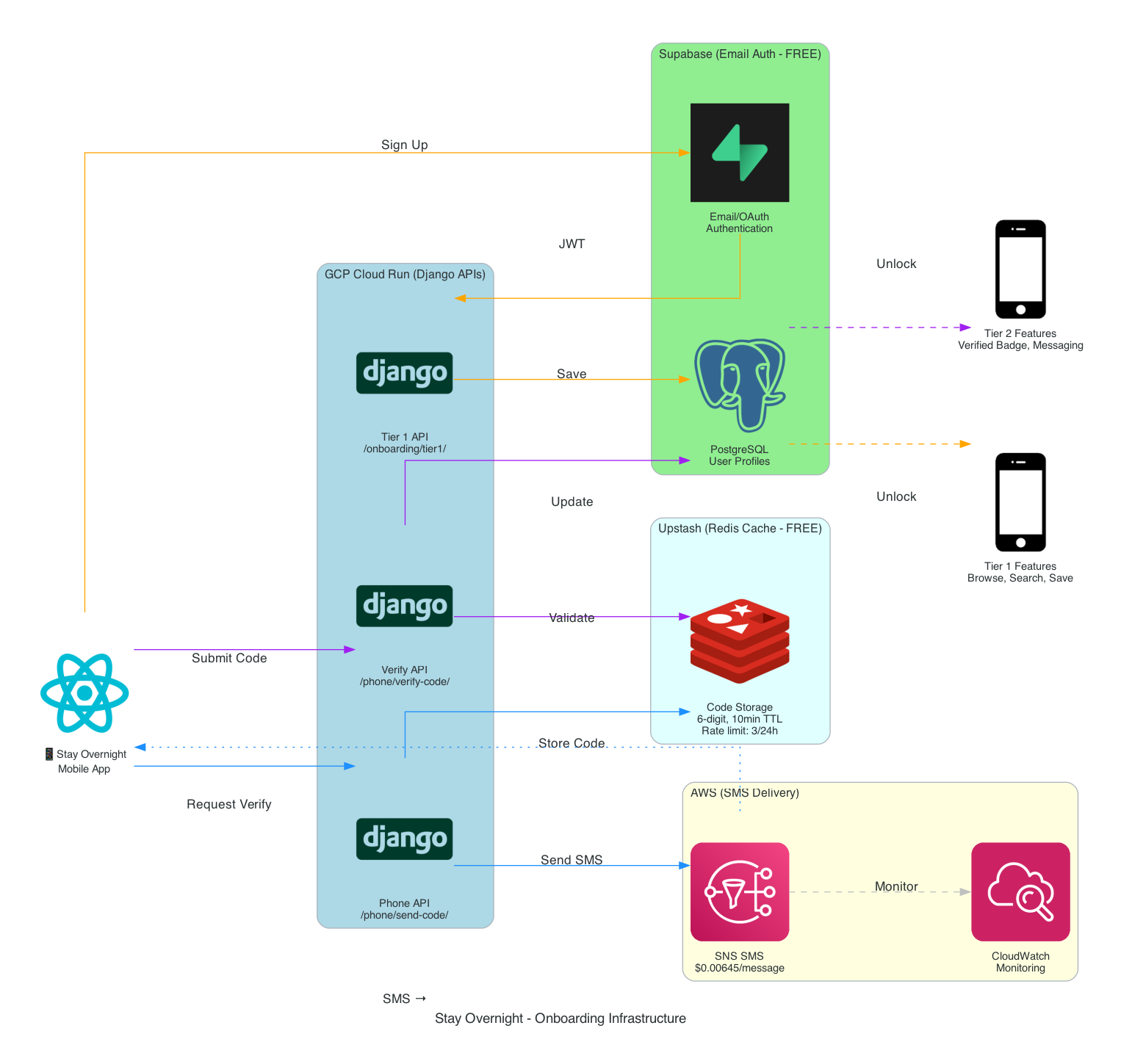
Services:
- Supabase Auth for email verification
- Twilio for phone verification
- SendGrid for transactional emails
- GCP Secret Manager for API keys
Onboarding (Legacy)
Section titled “Onboarding (Legacy)”Previous onboarding architecture for reference and migration planning.
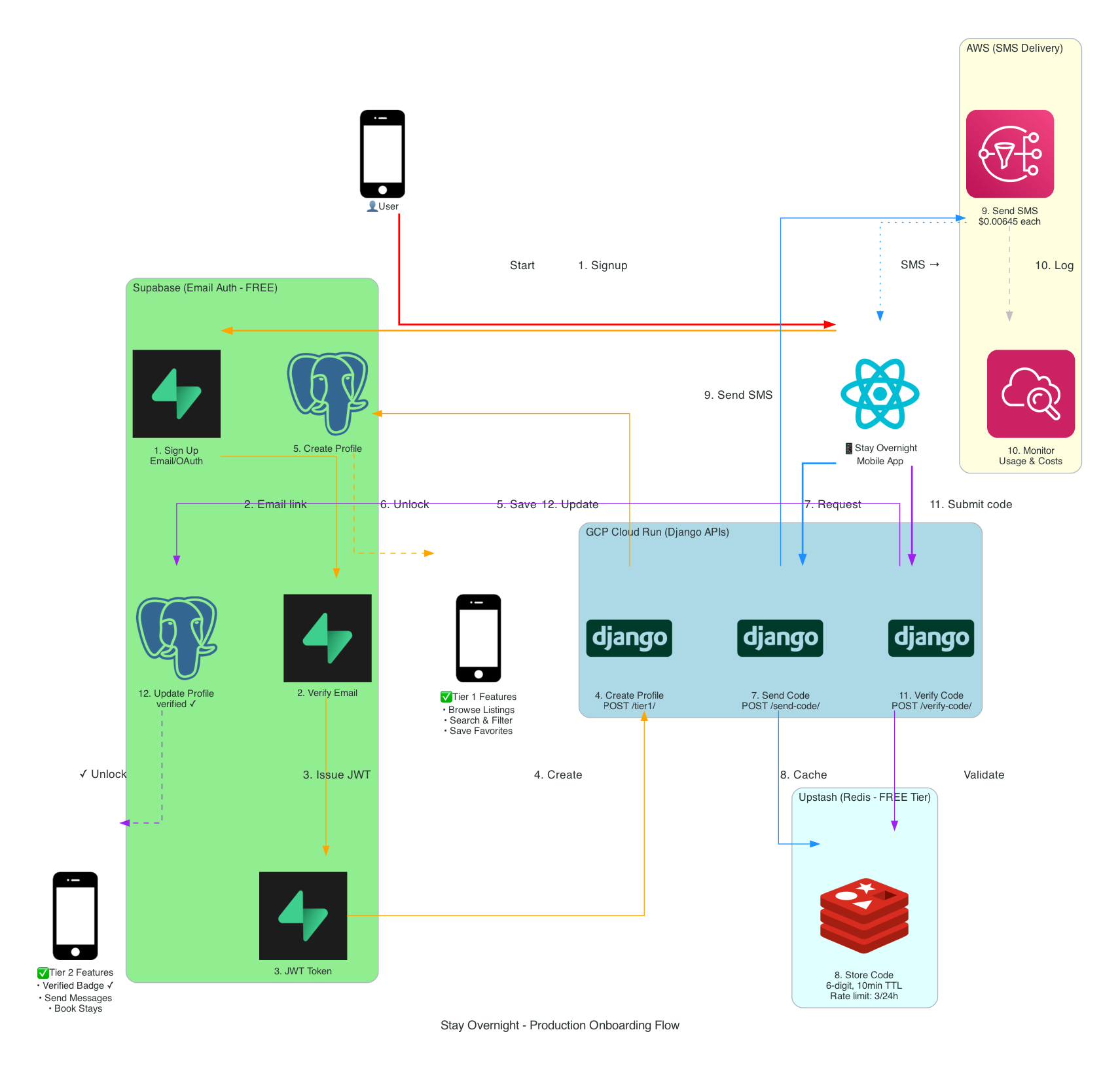
Note: This represents the original onboarding flow before recent optimizations. Kept for migration reference.
Verification Architecture
Section titled “Verification Architecture”Email and phone verification architecture with fallback strategies.
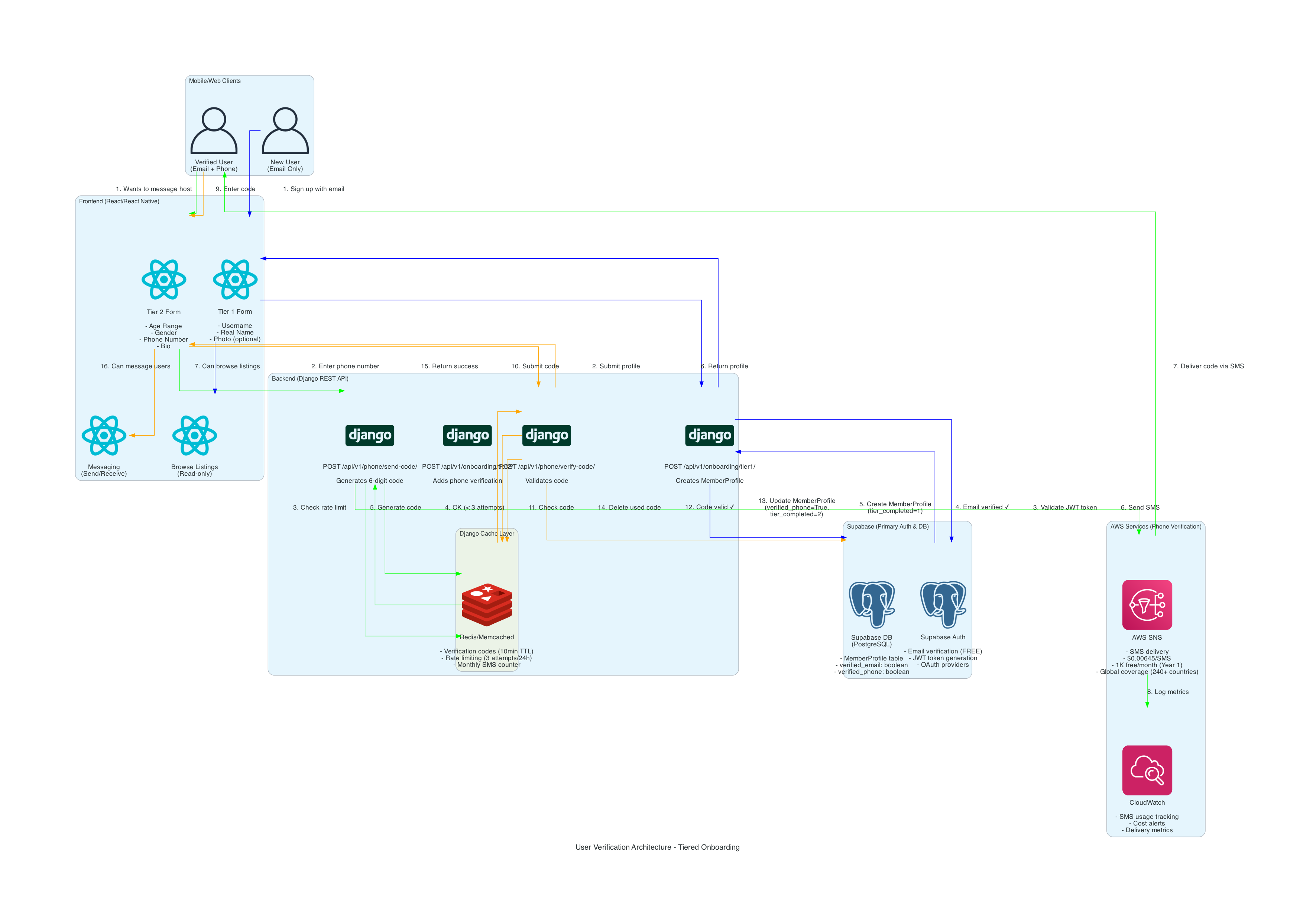
Features:
- Multi-provider verification (primary + fallback)
- Rate limiting
- Abuse prevention
- Verification code delivery and validation
🚀 Development Workflow
Section titled “🚀 Development Workflow”Development Workflow
Section titled “Development Workflow”Complete developer workflow from local development through deployment.
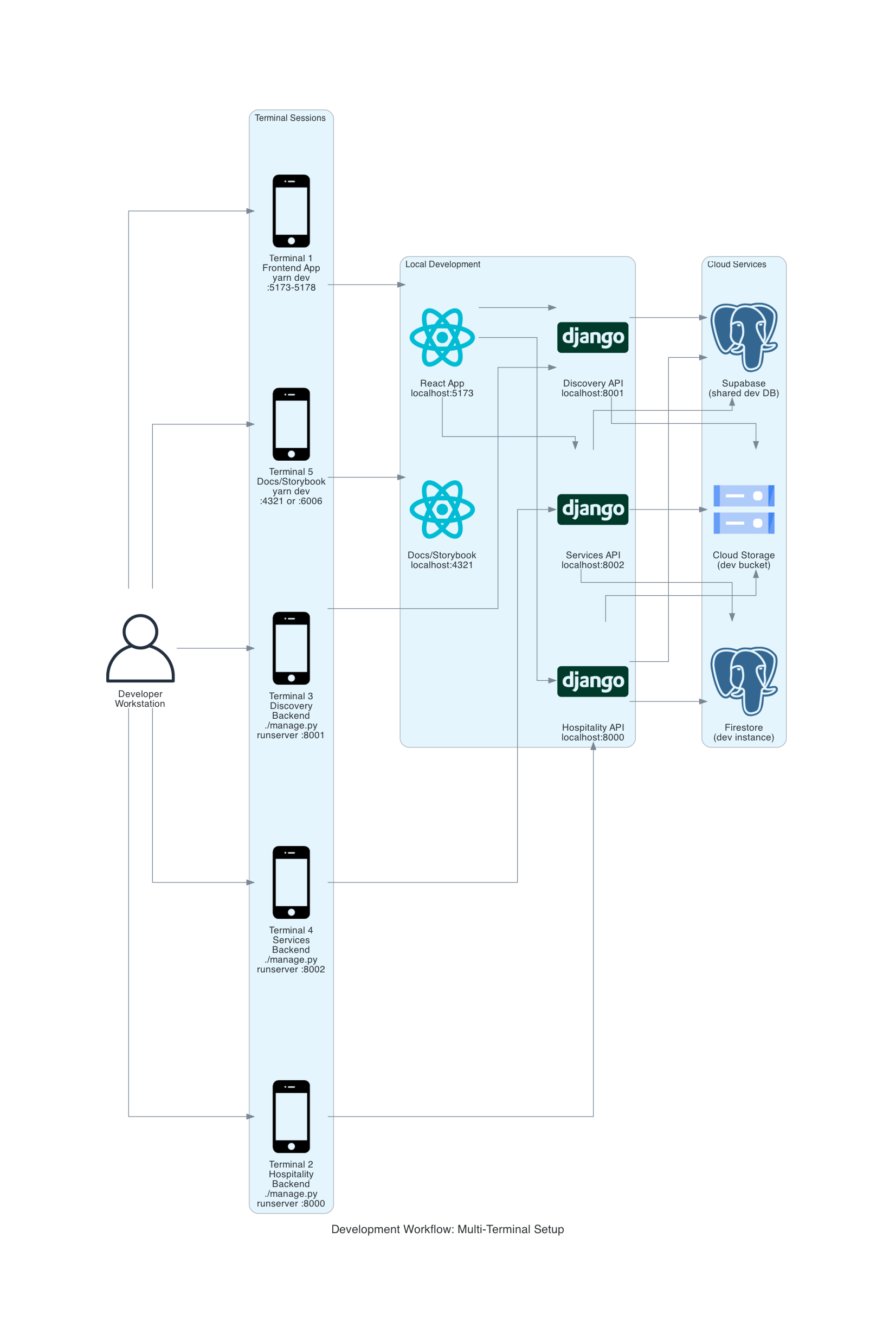
Workflow:
- Local development (Django + Vite)
- Git commit and push
- GitHub Actions CI/CD
- Automated testing
- Deployment to staging
- Production deployment
Stay Overnight Development Environment
Section titled “Stay Overnight Development Environment”Development environment setup specific to the Stay Overnight division.
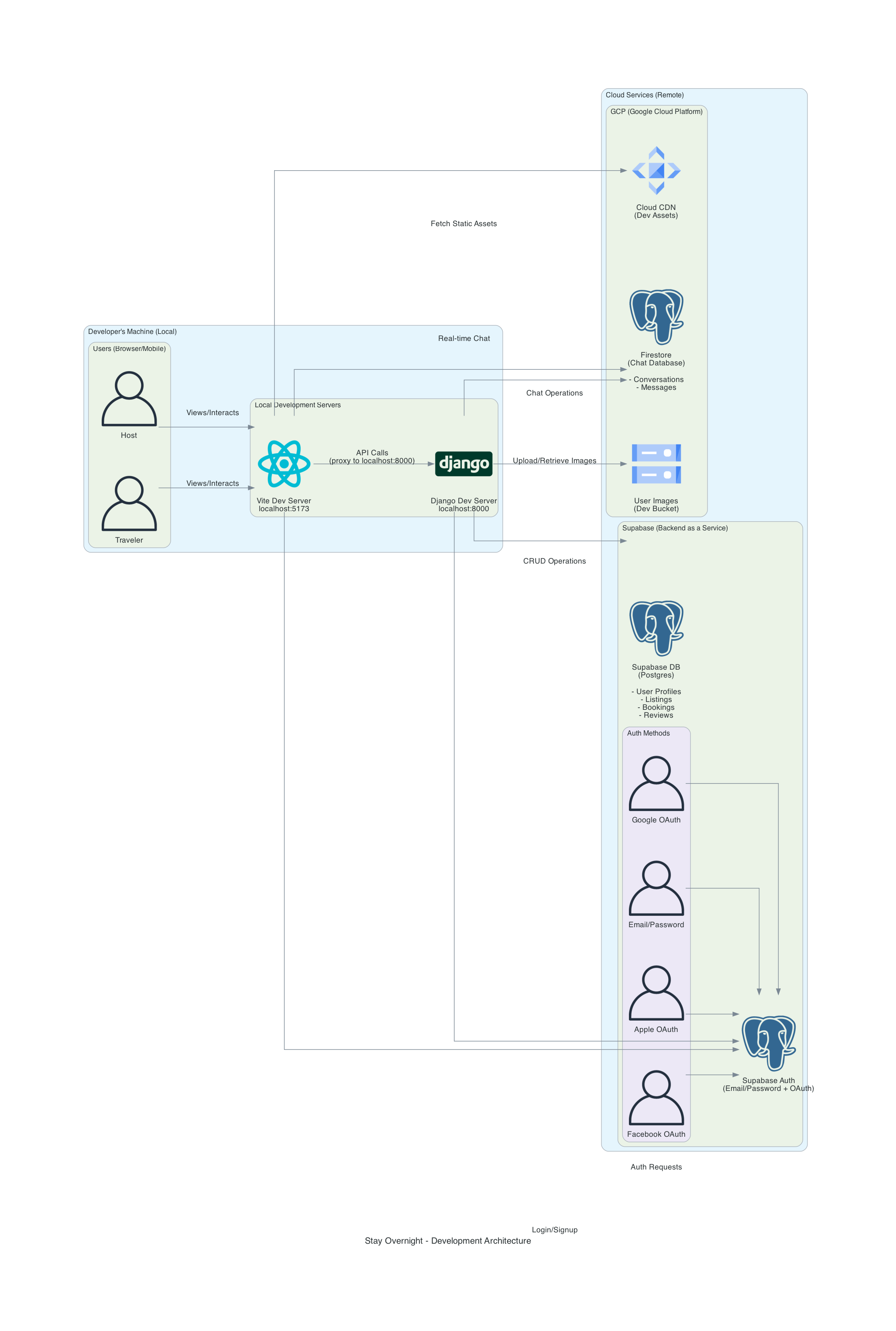
Setup:
- Django dev server (localhost:8000)
- Vite dev server (localhost:5173)
- Local PostgreSQL or Supabase connection
- Hot module reloading
- API proxy configuration
Stay Overnight Production Environment
Section titled “Stay Overnight Production Environment”Production environment configuration for the Stay Overnight division.
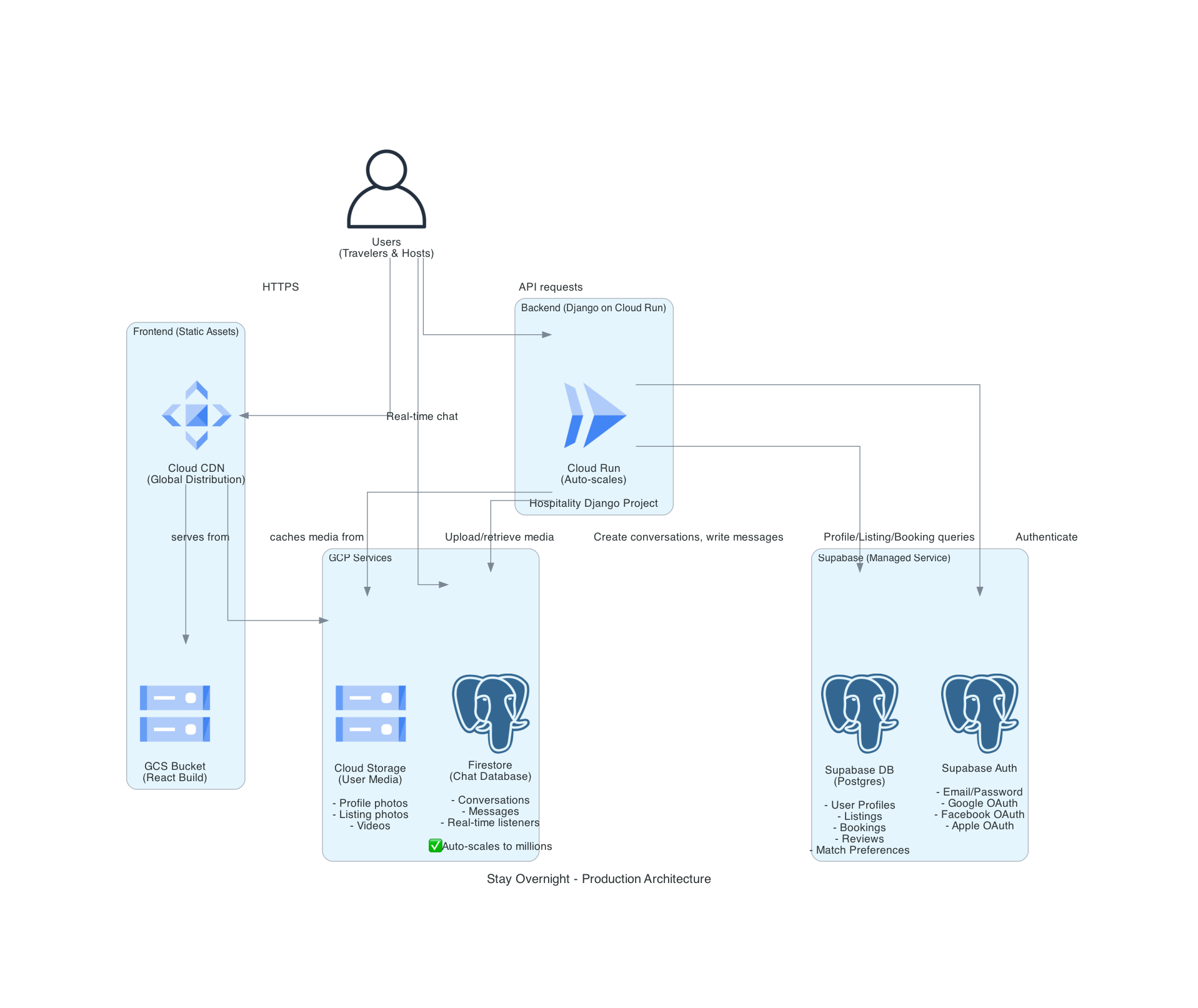
Production Stack:
- Cloud Run deployment
- Production database
- CDN for assets
- Monitoring and logging
- Auto-scaling configuration
📥 Downloading Diagrams
Section titled “📥 Downloading Diagrams”All diagrams are available as high-resolution PNG files. Click the “Download High-Res PNG” link under each diagram, or access them directly from the /diagrams/ directory.
🔄 Updating Diagrams
Section titled “🔄 Updating Diagrams”These diagrams are generated programmatically from code located in cloudalt-frontend/docs/archplans/. To update:
- Modify the Python generation script
- Run
python generate_diagram.pyin the archplans directory - Copy updated diagrams to this docs site
- Commit changes to both repositories
See the Architecture as Code README for details.
Related Documentation
Section titled “Related Documentation”- Architecture Overview - High-level system design
- Deployment Guide - How to deploy CloudAlt
- API Reference - Backend API documentation